

The app for the kingdom - Herbert has tested it
Herbert has tested the brand new "Bike Kingdom" app and describes his first impressions in a field report. The app is divided into five sections: "Explore", "Live", "Clan", "Shop" and your own profile. The structure of the app makes it intuitive to use the functions, filters and displays. The trail map in particular is user-friendly and provides a wealth of additional information on the trails recorded. The "store area" was not yet fully activated during the test period, which is why only a few products were displayed.
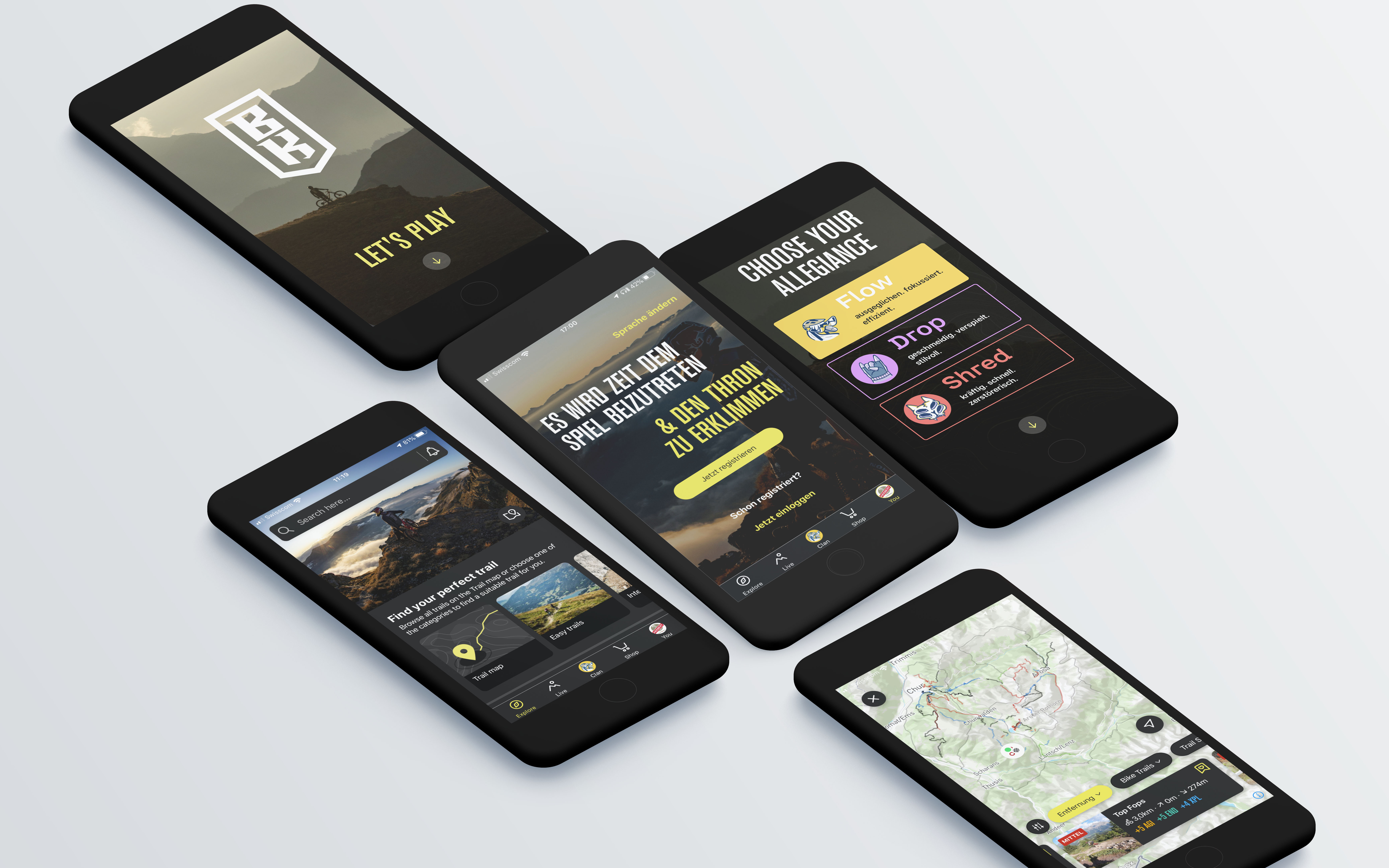
After installing the app on your smartphone, you select one of the three "clans" and set up your profile. The app can then be linked directly to Strava to save tracking data. The link with Strava is a prerequisite for "gamification", in which you take part in "battles" between the "clans". The data stored by Strava is also used to display the trails ridden and for personalized suggestions for trails, tours and offers. The "Bike Kingdom app" does not record any movement data itself.Start view "Explore"

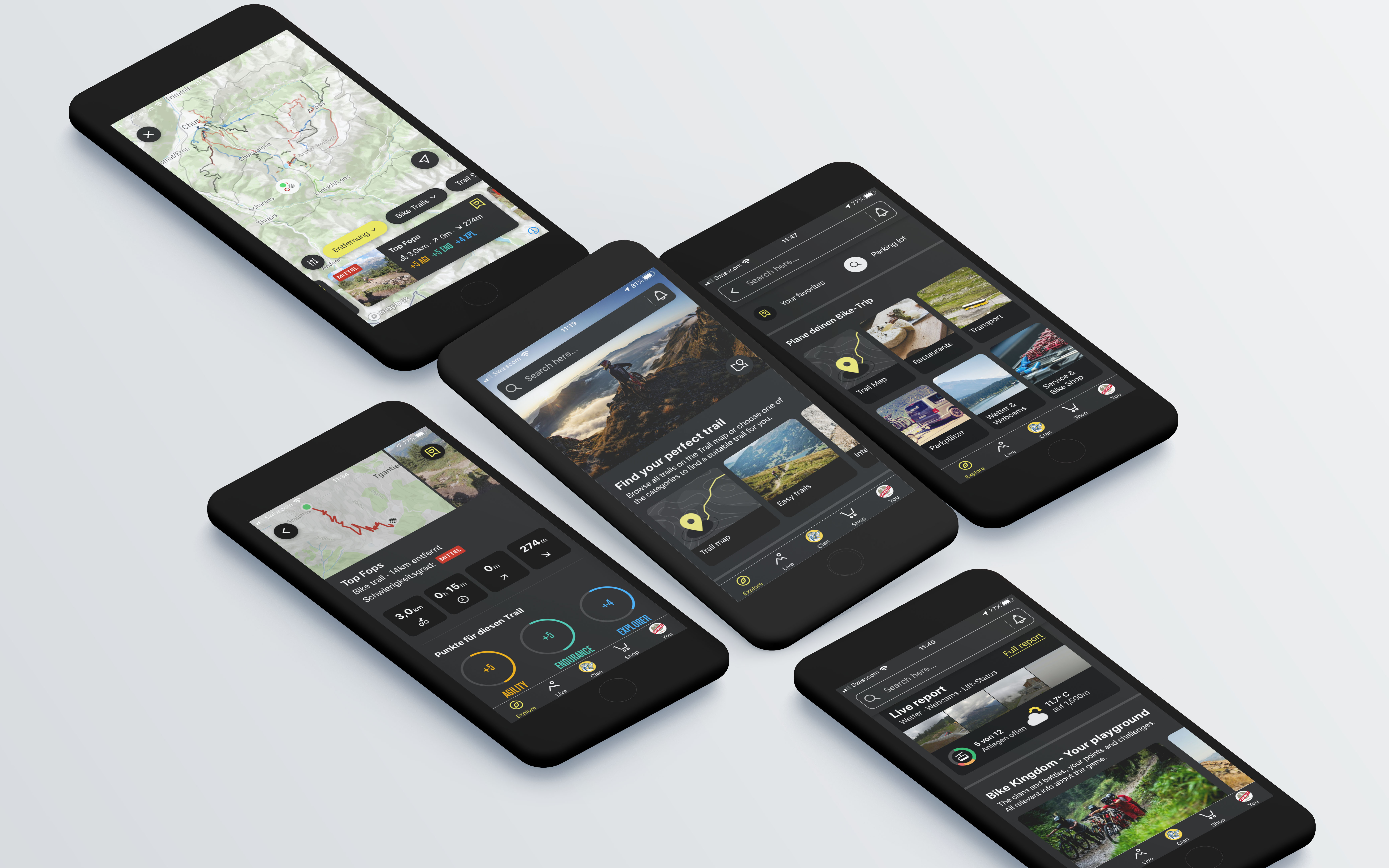
When you open the app, you are taken to the "Explore" menu item, where the search field, the trail map, trails in three different levels of difficulty and numerous shortcuts are listed. Various filters can be selected in the trail map. The number of lines on the map changes depending on whether trails or tours are to be displayed. The categorization of the trails and tours is implemented with blue, red and black lines, just like on the ski slopes. The zoom function on the map is intuitive, as you would expect from other map apps; when zooming in, elevation curves appear, with the equidistance gradually adjusting from 100 meters to 10 meters. If you select a trail, it is highlighted on the map and the details are displayed in the field at the bottom. If you want to find out more about the trail, click on the field that appears with the trail information and you will receive further details such as a short description and the elevation profile. The location function integrated into the trail map was rather slow during the test period, but worked reliably.
The other categories under the "Explore" menu item are numerous, which is why only the "Bike Kingdom - Your playground" section, which is helpful for understanding "gamification", will be discussed here. This explains that you can unlock new titles with your own successes and advance your own "clan" by region in the "Clan Battles". The criteria "AGI" (Agility), "END" (Endurance) and "XPL" (Explore) are used to reach higher levels. "Challenges" and "Titles" are also mentioned and linked to shortcuts. This information helps with initial understanding without being too detailed."Live" shows operating times, webcams and weather

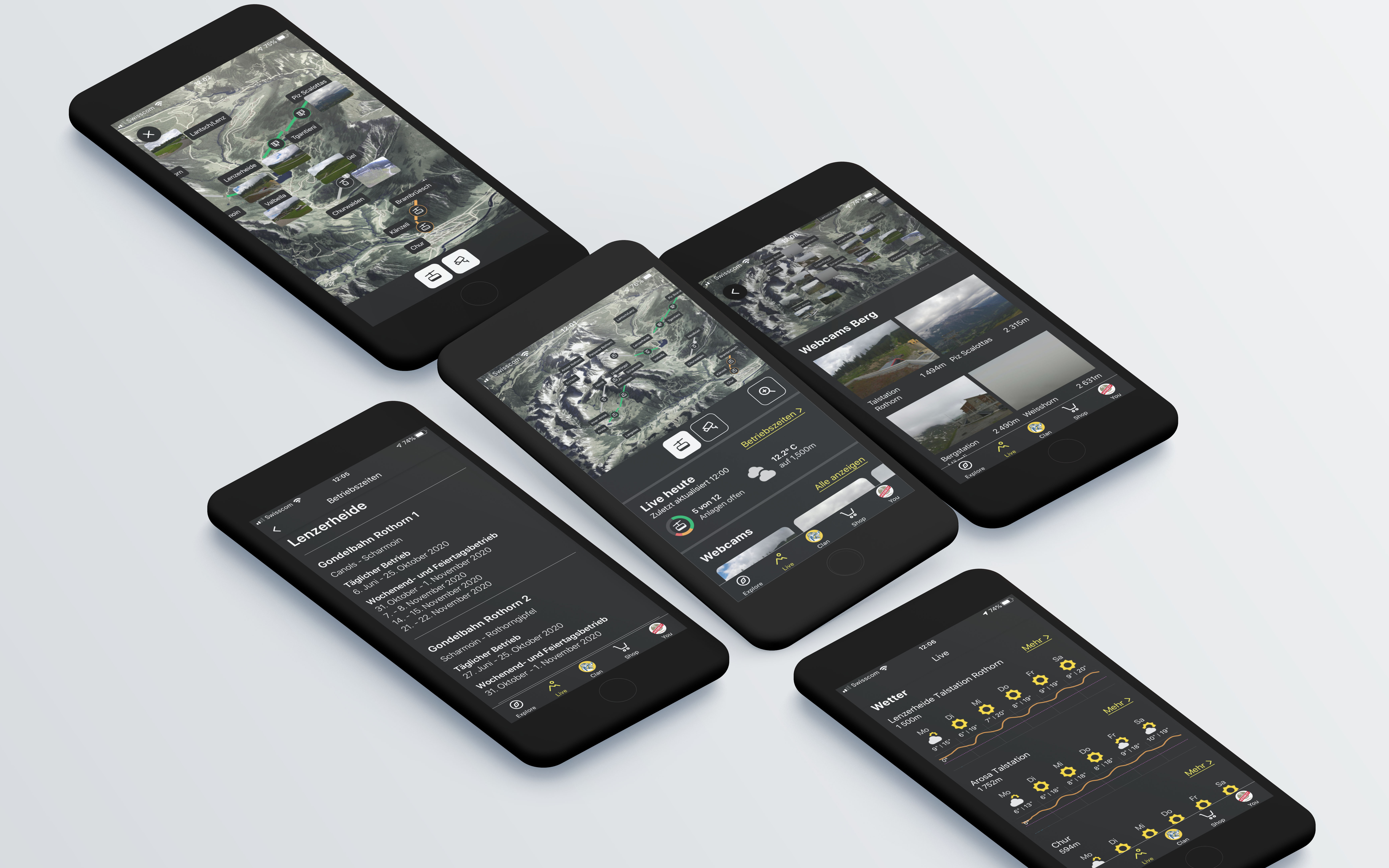
Under the second menu item "Live" you will find the display with live information on the operating times of the mountain railroads, details of the nearest trails or the nearest bike stores. The overview map shows the mountain railroads with their operating status, and webcams can also be displayed. If you select a webcam, there is unfortunately no indication of how current the image shown is. If you scroll down in the "Live area", the weather report for selected locations is displayed. Additional information on operating times, webcams and weather can be called up on the next level. Under operating times, only the period of the summer season is displayed with start and end dates. To find out the times of the first and last ascents, the icon of the respective mountain railroad must be selected on the overview map.
The "clans" rule in the "Bike Kingdom"
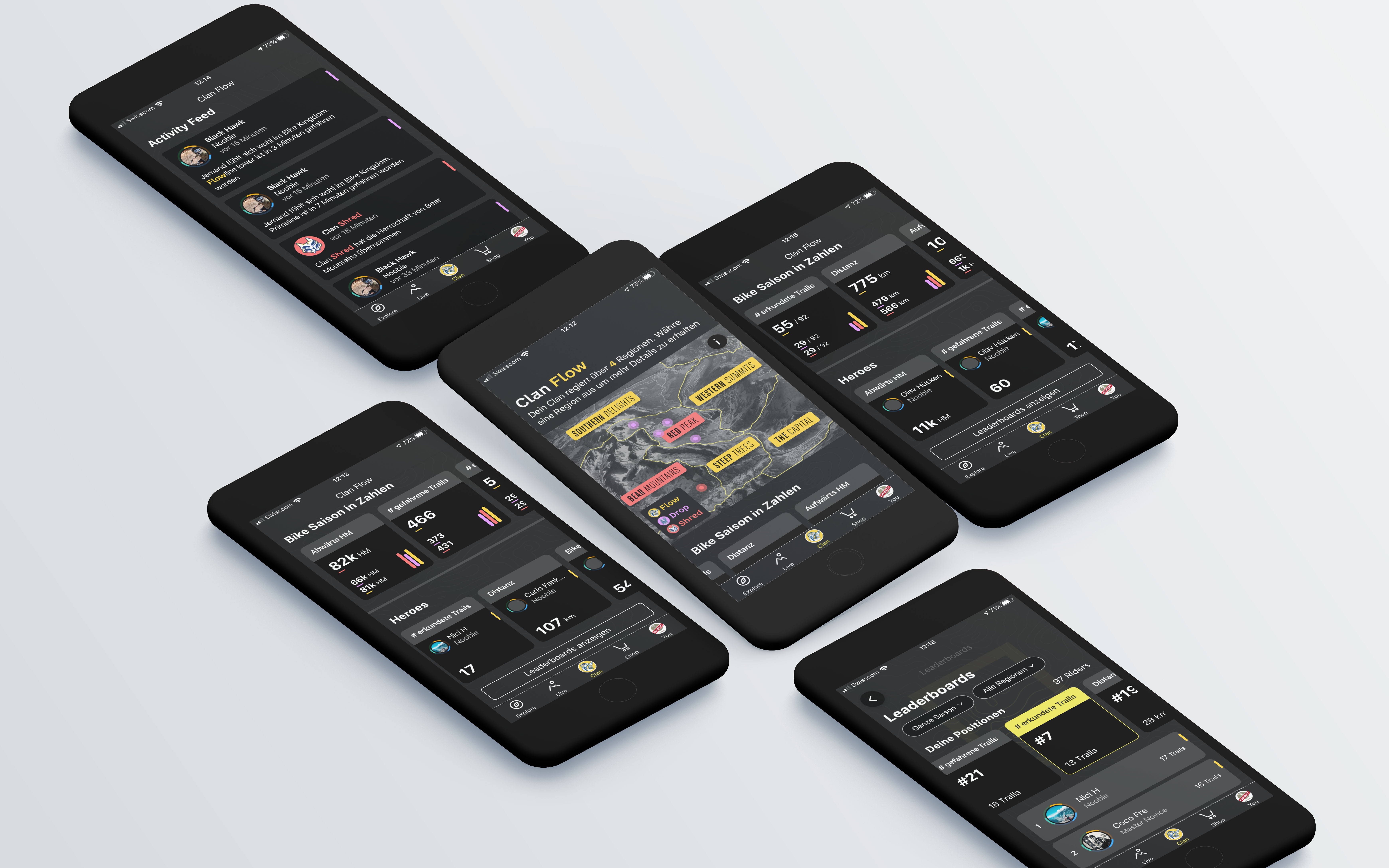
Centered in the menu bar of the app are the "Clans", with "Flow", "Drop" and "Shred" available for selection. The colors yellow, purple and red on the map indicate which of the six regions is ruled by which "clan". The six regions can be selected to obtain details such as a description of the region and some key figures. Numerous key figures of the various "clans" are listed, and leaderboards and the activity feed can also be displayed. The "Heroes" are the "Riders" who top the leaderboards in the six categories "Downhill vertical meters", "Number of trails ridden", "Number of trails explored", "Distance" and "Uphill vertical meters" over the entire season. Leaderboards for the individual regions and the current day can be displayed in the detailed view.
It should be noted that the statistics do not include the total meters or vertical meters ridden, but only data from the official "Bike Kingdom Trails". As hardly any trails that ride uphill have been recorded so far, the corresponding rating is not yet very meaningful. The successes of other riders are displayed in the "Activity Feed". If you select one of the messages, you are taken to the rider's profile. The statistics also only show overview figures, further details are not available. Your own profile
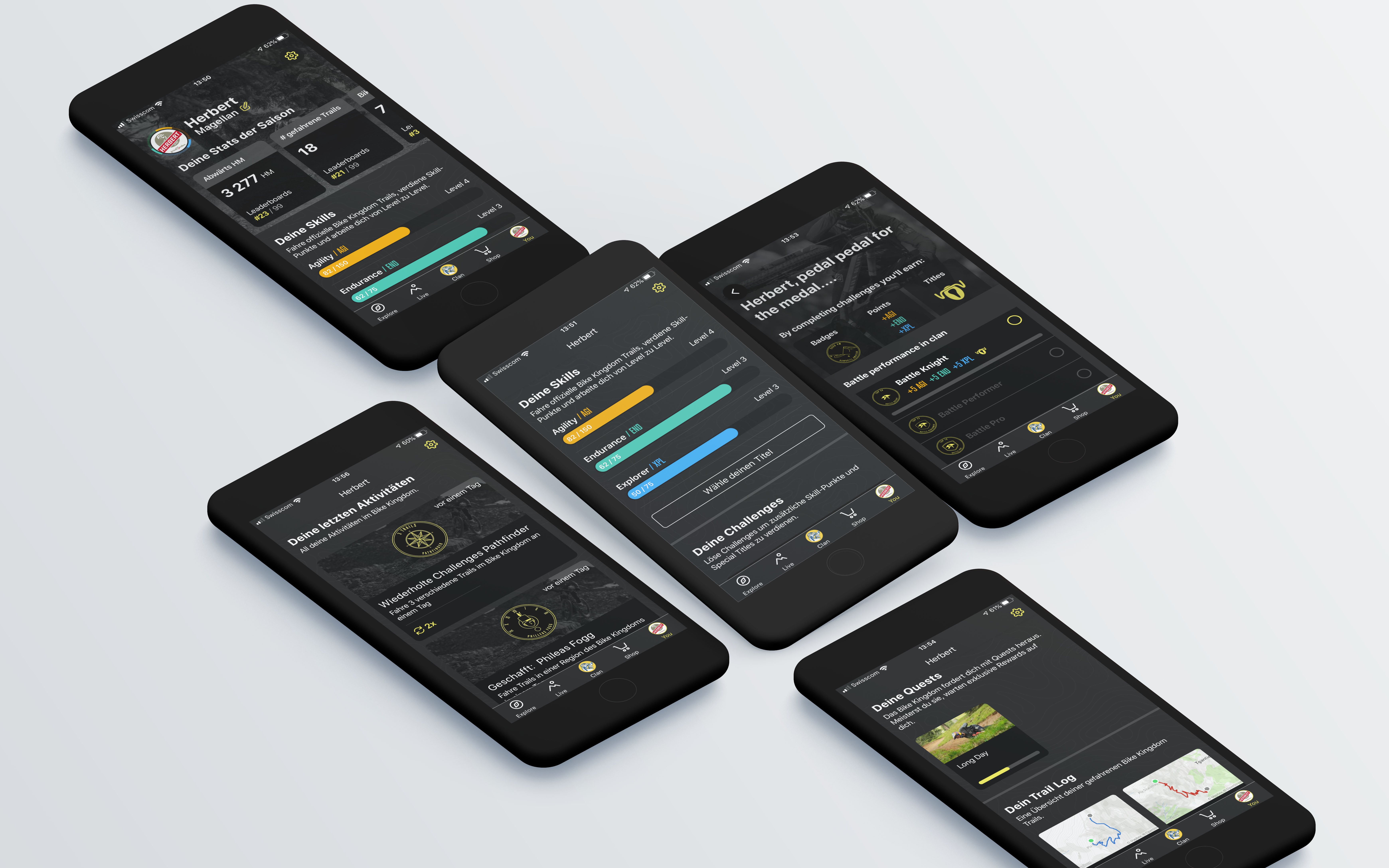
Your own profile can be called up at the bottom right of the menu bar, in which your own statistics for the categories mentioned under "Clans" are displayed. Your own skills are displayed with bars in the three criteria "Agility", "Endurance" and "Explorer". The bar shows how far you have already progressed in the respective level. For example, if you want to collect agility points, you should preferably ride long and difficult trails. To earn additional "Skills points", you can complete challenges or master "Quests".
All "Bike Kingdom Trails" ridden are listed in the "Trail Log". However, the overview is not very clear, as only one list is available when viewing all trails and trails that have been ridden several times are also listed several times. For each individual trail, it is shown how many points are awarded in which criterion, which are relevant for the scores in "Gamification". The separate activity feed is in turn a list of the trails ridden as well as the challenges achieved and titles earned, without offering any actual additional information.Conclusion
The new app occupies a previously little-used field by expanding the analog experience on the mountain bike with digital support. There is great potential in user control to reduce waiting times at mountain railroads and conflicts of use on trails. Missing from the trail map were marked connecting trails and "access roads" as well as the function of being able to buy mountain railway tickets directly in the app. A basic knowledge of English is an advantage when using the app, as there are always areas that are not translated into German. These points are to be implemented or at least tackled in the near future. In a further step, cooperation with other tracking apps as an alternative to Strava is also planned. The German/English mix....
The app for smartphones with Apple or Android operating systems is available to download from the App Store and from Google Play.
Note: This content has been automatically translated from German. Please report any incorrect translations.